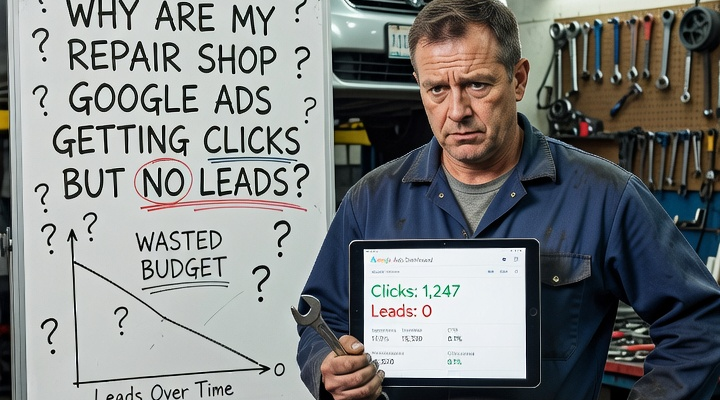
Getting clicks without receiving calls, bookings, or quote requests is one of the most frustrating problems in paid search. The campaign appears active, traffic is increasing, and the budget is being spent, but the shop still does not see enough real business from it.
When repair shop Google Ads get clicks but no leads, the problem is usually not the budget alone. It is more often a combination of weak search intent, broad targeting, poor landing-page relevance, unclear calls to action, slow response times, or broken conversion tracking.
The Campaign May Be Attracting the Wrong Search Intent
Not every person searching for a device problem is ready to hire a repair shop.
Someone searching “why is my laptop slow” may only want free advice. A person searching “how to replace an iPhone screen” may be looking for a tutorial or replacement part. These searches can generate clicks, but they often have weaker commercial intent.
Higher-intent searches usually include terms such as “computer repair near me,” “laptop screen repair,” “data recovery service,” “Mac repair shop,” or “charging port repair.” These phrases suggest that the customer wants professional help.
The search-term report should be reviewed regularly. It may reveal that the budget is being spent on searches for jobs, courses, free tools, DIY instructions, replacement parts, or unrelated technical support.
Broad-match keywords can increase this problem. For example, “computer repair” may trigger ads for “computer repair jobs,” “computer repair certification,” or “free computer repair software.” Negative keywords such as “jobs,” “salary,” “course,” “training,” “free,” “DIY,” and “parts only” can help, but they should be based on the actual searches appearing in the account.
The Ad and Landing Page May Not Match
A customer clicks an ad because it promises something specific. The landing page should confirm that promise immediately.
If the ad promotes “Laptop Screen Repair in San Antonio,” the visitor should land on a page clearly focused on laptop screen repair. Sending that person to a general homepage forces them to search through unrelated services such as data recovery, custom PCs, computer sales, or phone repair.
A strong landing page should clearly explain the service, location, common problems repaired, diagnostic process, warranty, and next step. A data recovery page should discuss failed drives, lost files, privacy, and diagnostics. A laptop repair page should explain common hardware problems, supported brands, turnaround guidance, and how to request service.
Slow Pages Can Waste Paid Traffic
Many repair searches happen on mobile devices. If the landing page loads slowly, visitors may leave before seeing the service information or contact button.
Large images, video backgrounds, excessive scripts, heavy page builders, sliders, and unnecessary plugins can all reduce performance. The shop still pays for the click even when the visitor leaves immediately.
The most important information should appear quickly:
- service name
- phone number
- location
- main call to action
- trust signals
- brief service explanation
The Call to Action May Be Weak or Confusing
Some repair shop websites offer too many actions at once. A page may ask visitors to call, book, request a quote, send an email, start a chat, browse services, and view pricing.
For urgent repairs, the main action may be calling the shop. For advanced data recovery, it may be requesting a diagnostic consultation. For custom PC builds, it may be submitting a build request.
The wording should explain what happens next. “Contact us” is vague. “Call to discuss your repair,” “Request a diagnostic,” or “Bring your device in for evaluation” gives the customer more direction.
Customers May Click but Still Not Trust the Shop
Repair customers may worry about data loss, hidden fees, low-quality parts, long delays, privacy, or whether the shop supports their device. If the landing page does not reduce those concerns, the visitor may return to Google and compare another business.
Useful trust signals include years in business, verified reviews, repair warranties, technician experience, storefront photos, real repair images, and a clearly explained diagnostic process.
Specific proof is more persuasive than generic claims. “Repairs include a one-year warranty” is stronger than “We offer quality service.” “The diagnostic fee is applied toward approved repairs” is more useful than “Affordable pricing.”
The Repair Process May Be Unclear
A landing page should explain whether walk-ins are accepted, whether appointments are required, whether there is a diagnostic fee, and when the final quote is provided.
A simple explanation can reduce uncertainty:
Bring in your device for inspection. A technician will identify the problem, explain the available options, and confirm the expected cost before work begins.
If a diagnostic fee is charged, disclose it. If that fee is applied toward the repair, explain that clearly because it changes how customers perceive the cost.
Location Targeting May Be Too Broad
A local repair shop should not pay for clicks from people who are unlikely to visit. Campaigns may target an entire state, an excessive radius, or people merely interested in the area.
Service value should guide the radius. Customers may travel farther for data recovery, motherboard repair, or custom PC builds than for a basic screen replacement.
Missed Calls and Tracking Problems Can Hide Leads
If calls are missed, voicemail is not returned, form notifications are delayed, or messages go unanswered, the campaign may appear to produce no leads even though potential customers tried to make contact.
Conversion tracking also needs to be tested. Google Ads may show clicks but no conversions because calls, forms, bookings, or chats were never configured correctly. The opposite can happen when button clicks are counted as leads even though the customer never completed the action.
Track meaningful outcomes such as completed forms, qualified phone calls, confirmed bookings, quote requests, and direction requests. Test every conversion path manually to confirm that reporting is accurate.
The Form May Be Asking for Too Much
A long form can cause abandonment, especially on mobile. The initial form usually needs only a name, contact details, device type, and brief problem description.
It should load correctly, show clear errors, confirm submission, and alert the shop immediately. Additional information can be collected during follow-up.
Separate Campaigns by Service
Computer repair, laptop screen repair, data recovery, custom PC builds, and device buybacks attract different customers. Each service has different keywords, concerns, timelines, and conversion values.
Separating campaigns or tightly organizing ad groups makes it easier to align the keyword, ad, landing page, and call to action.
Data recovery ads should focus on lost files, failed drives, privacy, and diagnostics. Laptop repair ads should focus on common hardware issues and turnaround. Custom PC ads should focus on consultation, component selection, assembly, performance goals, and warranty.
What Should a Repair Shop Fix First?
When repair shop Google Ads get clicks but no leads, increasing the budget should not be the first response.
Start by reviewing search terms, keyword match types, negative keywords, location targeting, landing-page relevance, mobile speed, calls to action, trust signals, form usability, tracking, and lead response.
The goal is not simply to buy more traffic. It is to attract people who need a service the shop actually provides, send them to a page that clearly matches that need, and make it easy for them to call, visit, or request help.
When those parts work together, Google Ads can generate qualified repair leads instead of expensive clicks with no clear business result.